
Deno Deploy is Generally Available



What if deploying a web app was as simple as running it locally? No adapters. No build config. No vendor-specific config files. Sveltekit, Next, Astro — whatever you’re using.
That’s Deno Deploy, the easiest way to deploy and run any JavaScript or TypeScript to the web, and today it is generally available.

As part of this announcement, we’ll share how Deno Deploy simplifies building and deploying code, as well as introduce Deno Sandbox, a new service on Deno Deploy that allows you to programmatically manage microVMs for executing any code securely.
Any framework, any build process
Deno Deploy supports all major JavaScript frameworks, regardless of whether you
are building or running with Deno. Not only that, but it will automatically
detect which framework you’re using, and run the build commands specific to your
framework. This allows us to make the most of your framework’s features, such as
with the "use cache" directive in Next.js 16.
Zero-config continuous deployment
Deno Deploy is built for modern development workflows and is flexible enough to fit you and your team’s needs.
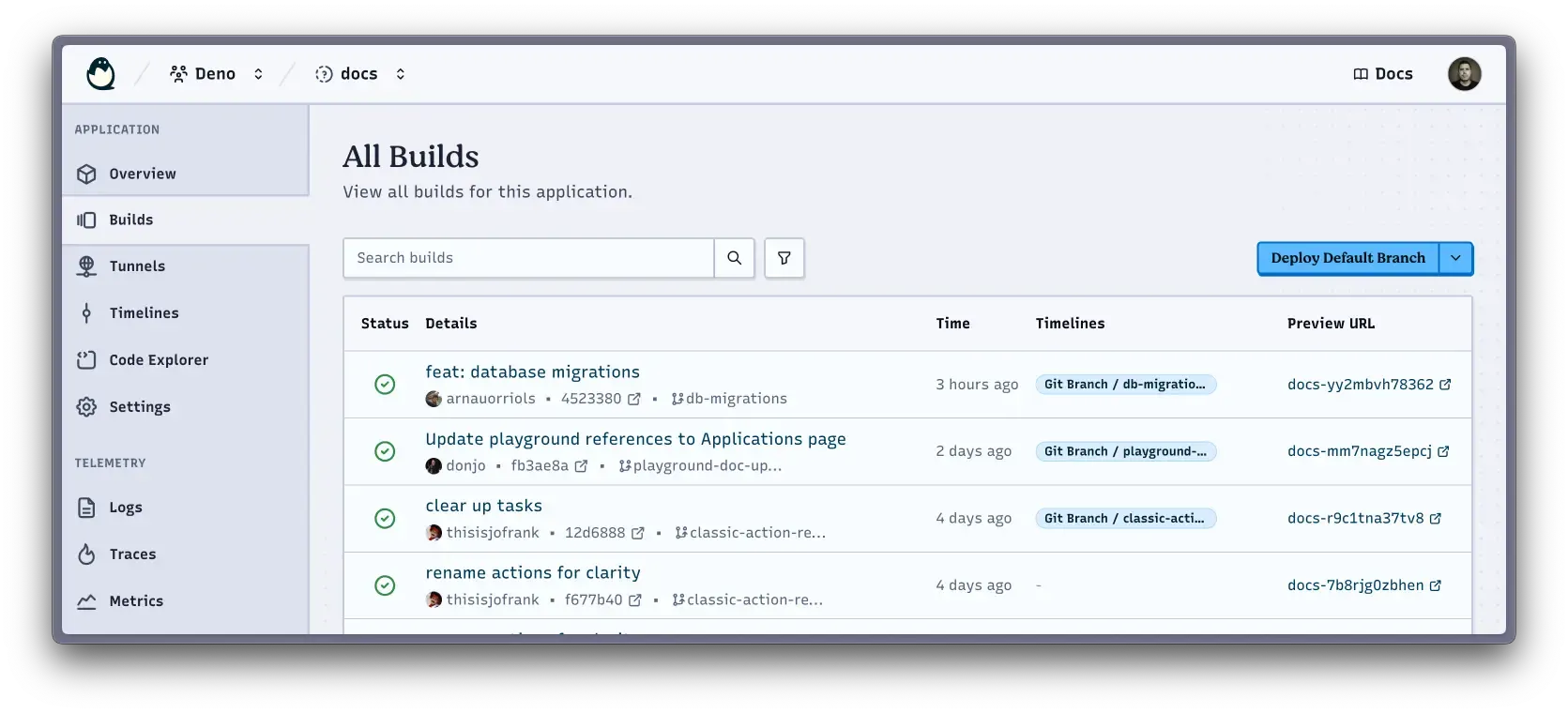
If you connect your GitHub repo to Deno Deploy, you’ll automatically get zero-config continuous delivery:
- live previews for every git commit
- each pull request will be tracked as a “timeline”, each with their own isolated database (more on that below)
- promoting to prod and easy rollbacks via the UI
If you want more control over your release process, there’s the new
deno deploy subcommand
that you can use from your terminal (great for testing and quick iterations) or
from your CI environment.
Built-in databases
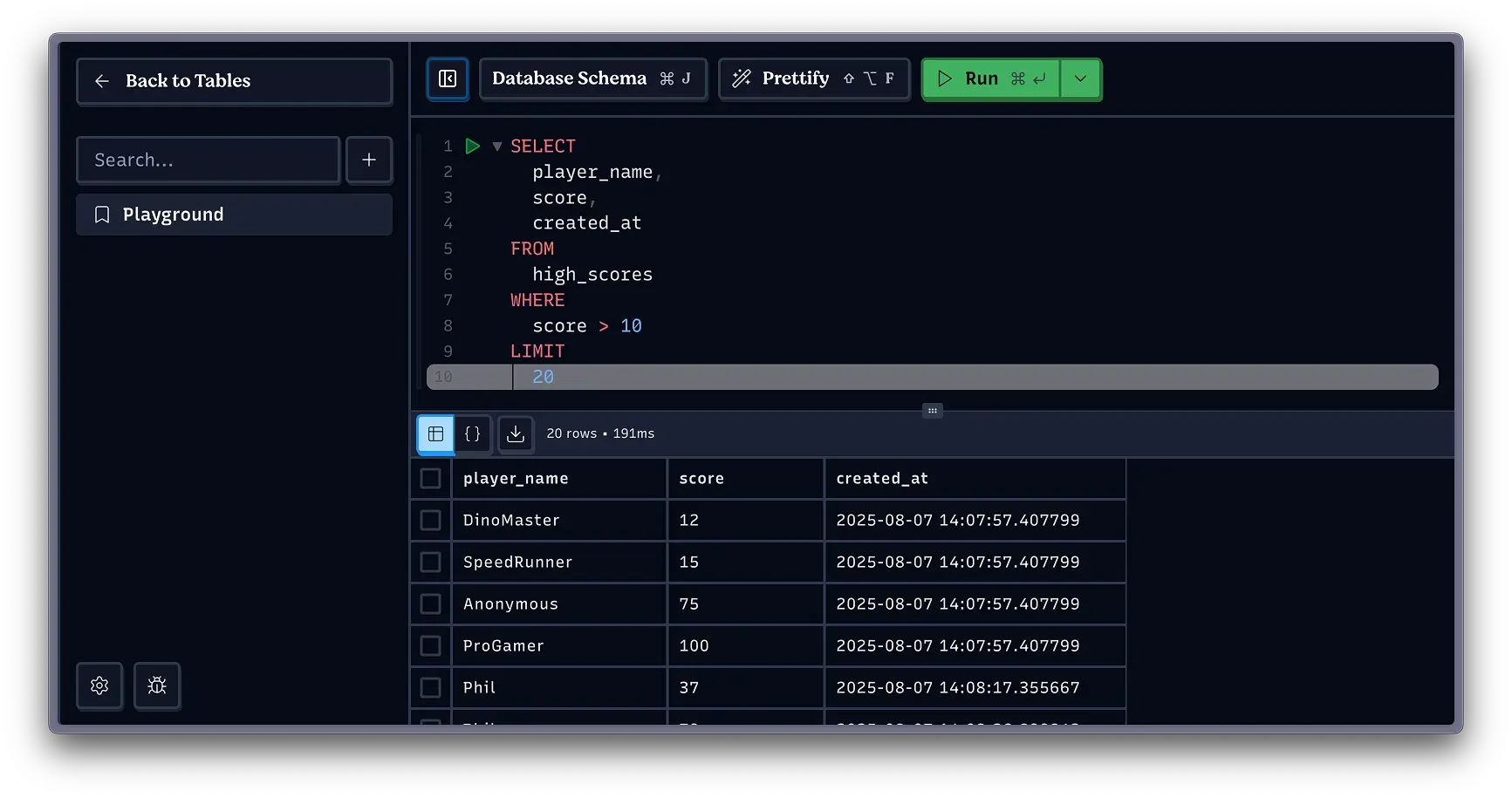
In addition to supporting Deno KV, our global key-value store, Deno Deploy now also supports Postgres databases. Not only can you easily link third party databases, but thanks to our partnership with Prisma, you can also provision new databases for free right through our dashboard.
Deno Deploy will provision a new database for every pull-request opened. This avoids dangerous mistakes and makes development easier.
Not only that, but your application code remains the same in all contexts, even though the database is different. That’s because environment variables are managed automatically by Deno Deploy:
import { Pool } from "npm:pg";

// No configuration needed - Deno Deploy handles this automatically
const pool = new Pool();

Deno.serve(async () => {
  // Use the database
  const result = await pool.query("SELECT * FROM users WHERE id = $1", [123]);

  return new Response(JSON.stringify(result.rows), {
    headers: { "content-type": "application/json" },
  });
});
In addition to all that, you can now explore your data right in the Deno Deploy console.
Want to see a specific database supported? Let us know on Twitter, Bluesky, or Discord!
Streamlined local development with --tunnel
One of the biggest headaches when deploying software is that a project that
works locally behaves differently in production. We’ve bridged those two
environments, making it easy to develop locally with confidence using the flag
--tunnel.
Simply add the flag to your command and you will automatically pull centrally managed environment variables from Deno Deploy, run your dev server locally, expose a public, shareable URL instantly, and send telemetry data to Deno Deploy.
The --tunnel flag simplifies working on the same code base across a team, as
you can all access the same environment variables, as well as serving your local
version on a public URL for easier sharing. Also, it is currently available for
the run and
task commands, but expect
that it will become even more powerful as more utilities are added.
First class, automatic observability
Any project hosted on Deno Deploy, regardless of Node or Deno, or even if there are specific telemetry instrumentation, will automatically show logs, traces, and metrics in the application console.
By default, Deno will capture the following: console.log, fetch, http, V8
events, garbage collection, and IO. Your
logs will also be automatically associated with the request,
so triaging and debugging is much simpler. Check out our documentation for more
examples.
Safe, Instant Compute with Deno Sandbox
Read the full Deno Sandbox announcement here.
We’ve noticed a rise of LLM generated code deployed to Deno Deploy and wanted to make that path as smooth as possible. Our key design considerations were:
- speed: the user edits, AI regenerates, and changes appear immediately, and
- security: full isolation and a secrets model that survives prompt injection
With this in mind, we have built a new primitive called Deno Sandbox, which are real linux microVMs that boot in under a second, offering instant safe compute programmatically.
Here’s an example of a script that will create a Deno Sandbox, writes a dev server, runs it, and exposes a port for anyone to access:
import { Sandbox } from "@deno/sandbox";

await using sandbox = await Sandbox.create({ port: 8000 });

await sandbox.fs.writeTextFile(
  "main.ts",
  "export default { fetch: () => new Response('hi') }",
);

const p = await sandbox.sh`deno serve --watch main.ts`.spawn();

console.log("deno now listening on", sandbox.url);

await p.output();
$ deno -NRE main.ts
deno now listening on https://22313a1bbdf94b27803a3f929a5af33a.sandbox.deno.net
Watcher Process started.
deno serve: Listening on http://0.0.0.0:8000/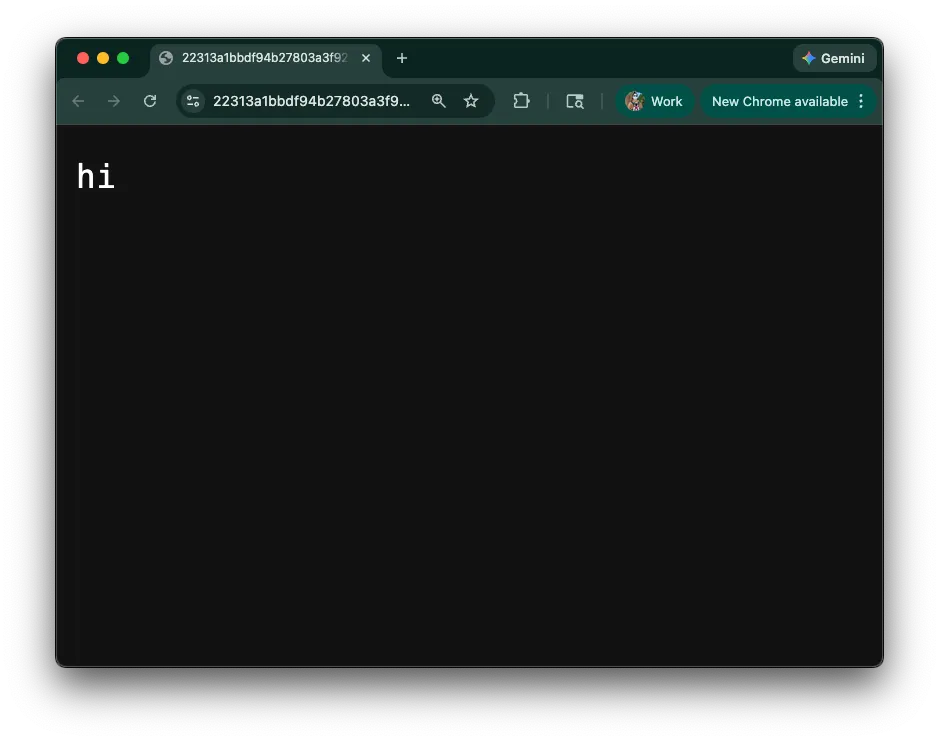
Read the full announcement on Deno Sandbox.
Pricing
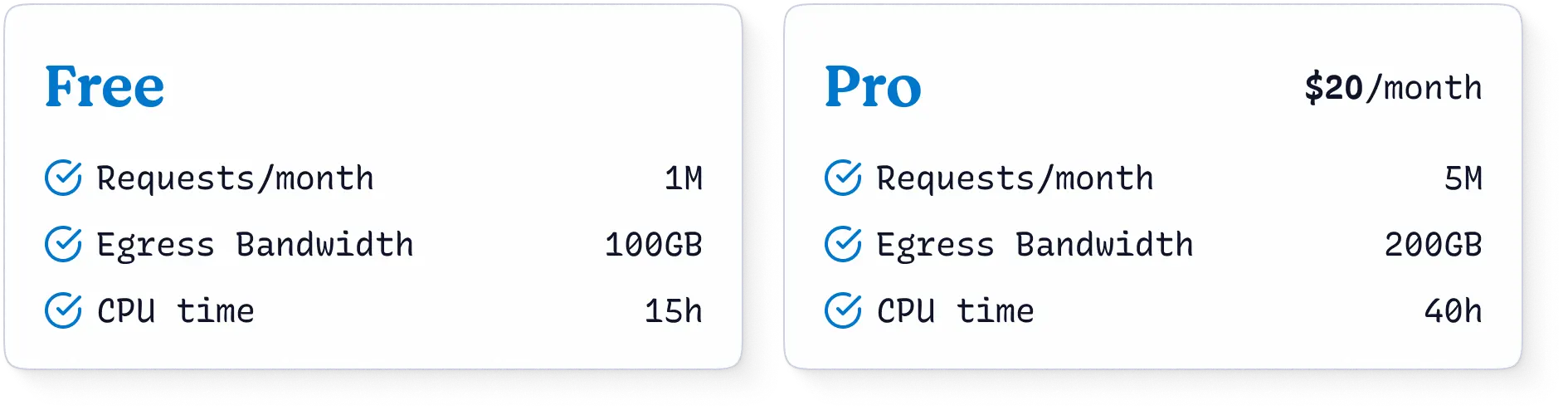
Deno Deploy comes with a generous free plan, offering one million requests per month, 100 GB of egress, and 15 CPU hours. For those needing more resources, there are various pro plans available, allowing for flexible scaling based on usage.
For teams with greater security, support, and performance needs, we offer custom enterprise pricing. Learn more on our pricing page.
What’s next
Deploying one of the simple starter apps here is an easy way to dive into the new Deno Deploy and see what it’s all about. You can sign up, create an organization, and start deploying apps for free.
— A simple hello world site
We’re excited to see what you — or your AI agents — build with Deno Deploy.
What are you building with Deno? Let us know on Twitter, Bluesky, or Discord!