The safest, simplest way to run untrusted code
— Getting started —
Create your first Deno Sandbox in under two minutes
1. Install @deno/sandbox
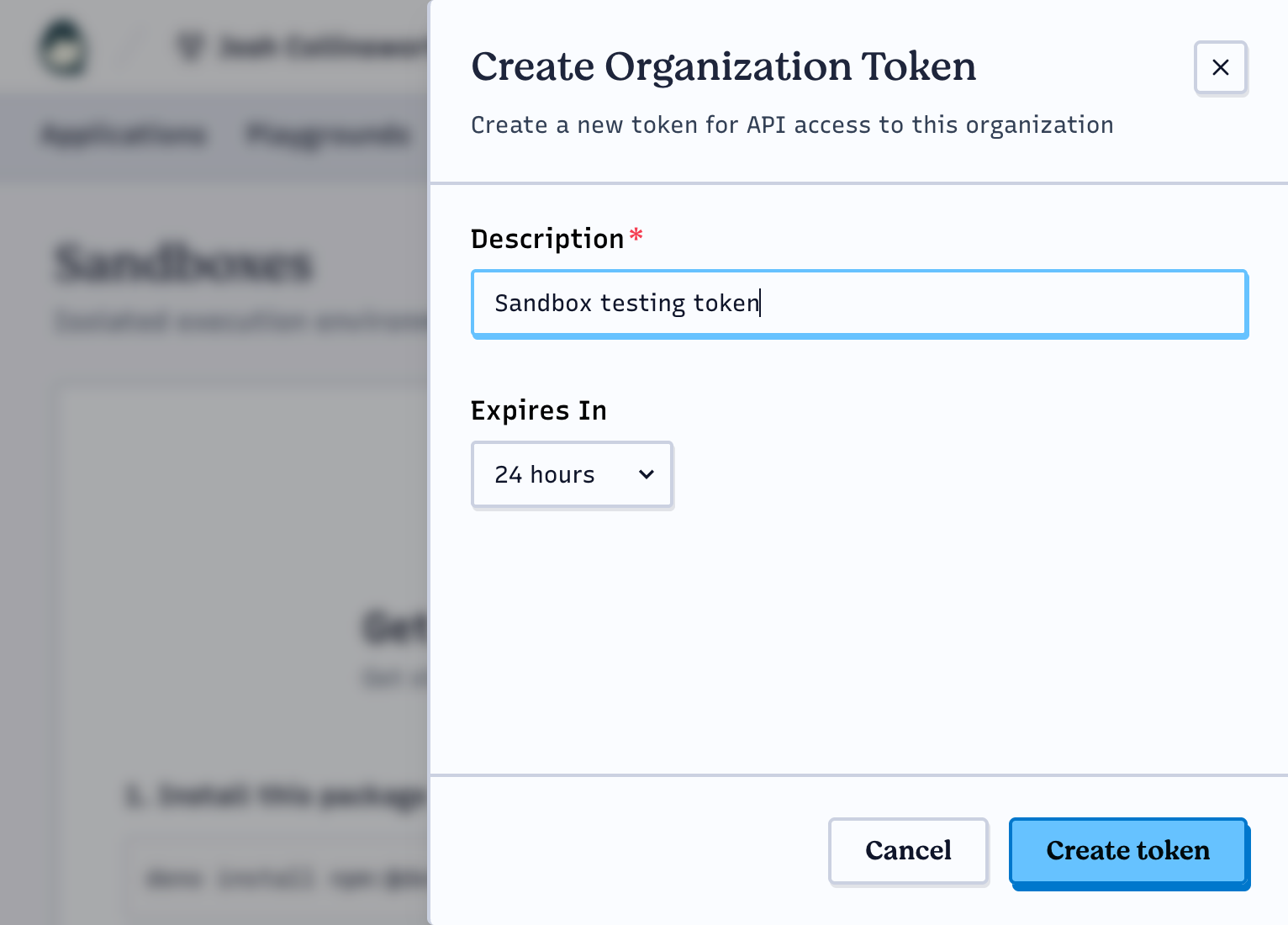
2. Create an access token

3. Create your first sandbox!
import { Sandbox } from "@deno/sandbox";
await using sandbox = await Sandbox.create();
await sandbox.sh`ls -lh /`;
Show output
$ deno -NE ls.ts
total 9.3M
drwxr-xr-x   1 daemon daemon 4.0K Nov  3 10:52 app
lrwxrwxrwx   1 root   root      7 Nov  3 10:15 bin -> usr/bin
drwxrwxrwt  10 root   root    200 Nov  3 10:52 data
drwxr-xr-x   4 root   root   2.3K Nov  3 10:52 dev
drwxr-xr-x   1 root   root    100 Nov  3 10:15 etc
-rwxr-xr-x   1 root   root   9.2M Nov  3 10:17 fcinit
drwxr-xr-x   3 root   root     45 Nov  3 10:15 home
drwxrwxrwt   2 daemon daemon   40 Nov  3 10:40 isolate
lrwxrwxrwx   1 root   root      7 Nov  3 10:15 lib -> usr/lib
lrwxrwxrwx   1 root   root      9 Nov  3 10:15 lib64 -> usr/lib64
drwx------   2 daemon daemon    3 Nov  2 23:48 mnt
drwxr-xr-x   2 root   root     27 Nov  3 10:15 overlay
dr-xr-xr-x 115 root   root      0 Nov  3 10:40 proc
drwxr-xr-x  18 root   root    384 Nov  3 10:17 rom
drwxr-xr-x   2 root   root   4.0K Nov  3 10:40 root
drwxrwxrwt   6 root   root    120 Nov  3 10:40 run
lrwxrwxrwx   1 root   root      8 Nov  3 10:15 sbin -> usr/sbin
dr-xr-xr-x  12 root   root      0 Nov  3 10:40 sys
drwxrwxrwt   9 root   root   4.0K Nov  3 10:52 tmp
drwxr-xr-x  12 root   root    194 Sep  8 00:00 usr
drwxr-xr-x   5 root   root   4.0K Nov  3 10:40 var
Deno Sandbox is an SDK for instantly creating and managing secure, isolated VMs in the cloud on Deno Deploy.
Every Sandbox is an independent Linux microVM.
This means each Sandbox has its own strict permissions, network policies, directories, and isolated secrets—making Deno Sandbox perfect for AI agents, or any other dynamic workload where speed and security are paramount.
— Use cases —
Why Deno Sandbox?
Instantly isolate untrusted code
Specify who your Sandbox is allowed to talk to, and bind secrets so they're only revealed to approved destinations on the wire.
import { Sandbox } from "@deno/sandbox";

await using sandbox = await Sandbox.create({
  root: "claude",
  secrets: {
    ANTHROPIC_API_KEY: {
      hosts: ["api.anthropic.com"],
      value: process.env.ANTHROPIC_API_KEY!,
    }
  }
});

await sandbox.sh`claude -p hello`;
Define what code can reach
Sandboxes let you lock down outbound connections, so code can't leak data or phone home, even if it tries to.
import { Sandbox } from "@deno/sandbox";

await using sandbox = await Sandbox.create({
  allowNet: ["example.com"]
});

await sandbox.sh`curl -is https://deno.com/`;
// ❌ BLOCKED
Wildly fast start times
Fast to get started and fast to run, Deno Sandbox is built for performance. New sandboxes spin up in milliseconds—almost faster than you can even think about it.
await Sandbox.create();Ready in 93ms ✅
Build your way
Run your dev server
Every sandbox helps you get started.Deno Sandbox helps you get finished.
sandbox.deploy();— Pricing —
Priced for builders
Usage-based pricing to maximize your capabilities, while keeping costs predictable and competitive.
Deno Sandbox pricing
CPU TIME$0.10/CPU-hr
Memory$0.025/GiB-hr
Volume usage$0.20/GiB-month
— FAQs —
Frequently Asked Questions
Each Deno Sandbox is a lightweight Linux microVM running on Deno Deploy, that you control via a simple API.
Each sandbox is fully isolated ,with its own filesystem, network stack, and process tree. You can control sandboxes programmatically using the Deno Sandbox SDK.
See the section above this one; here's a direct link to the pricing details.
Each sandbox runs in its own Firecracker microVM—the same technology that powers AWS Lambda. See our security documentation for details on outbound network filtering and secret management.
All outbound connections route through a proxy where your security policy is enforced. You control exactly which hosts your code can reach.